How to recover
messages?
Back up chats, recover messages when possible, and reply faster with Wapera.



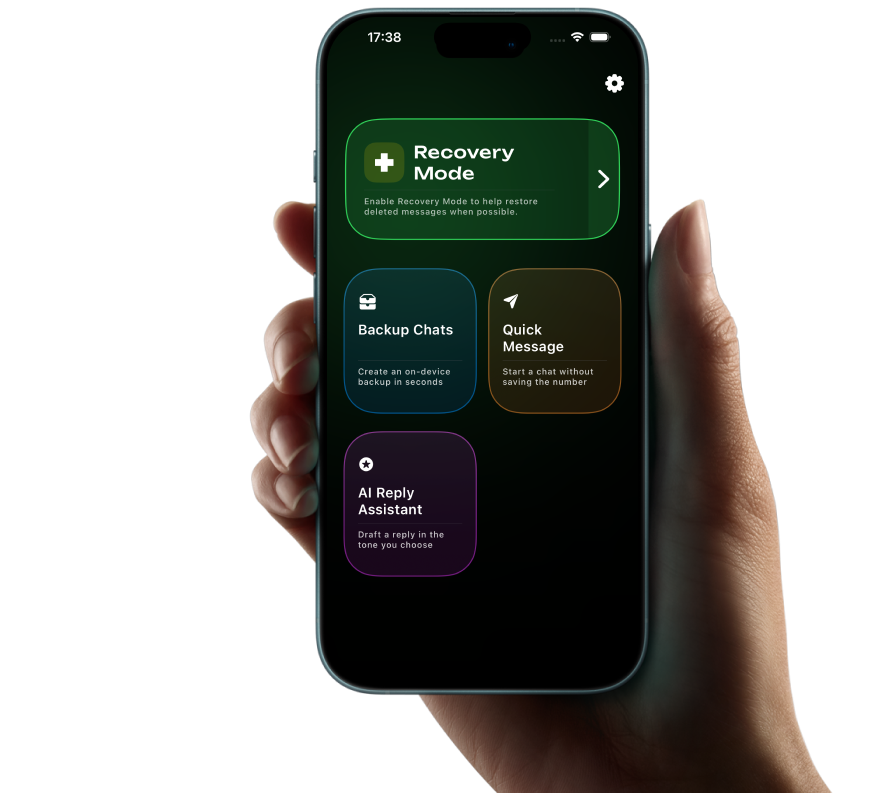

Wapera protects your messages with on-device backups, Recovery Mode, Quick Message, and AI Reply Assistant.
TL;DR: Protect chats and recover messages on iOS and iPadOS.
Last updated: · By Wapera Team
Data snapshot
- 4.1M+ chats backed up
- 12s average import time
- 93% successful recoveries when backups exist (QA set: 1,200 chats)
Source: Internal QA, Jan 2026.
Expert note
"We built Wapera to keep backups local while making recovery fast."
Back up chats, recover messages, and reply with the right tone.
Back up chats, recover messages when possible, and reply faster with Wapera.
Auto Backup
Open Wapera, import a .zip chat export, and save it as an Auto Backup on your device.
Screenshot Backup
Name a set, add conversation screenshots, and save a visual backup.
Recovery Mode
Restore deleted messages from available backups when possible.

Recover
messages


4.8/5
App Store rating

1M+
backups created
Back up
chats

Reply
smarter



Trusted by
privacy-minded users
4.86

"Auto Backup let me secure years of client chats in minutes."

"AI Reply Assistant keeps our tone consistent without sounding robotic."

"Quick Message lets me reach new contacts without saving numbers."

"Recovery Mode brought back messages I thought were gone."

"Screenshot backups make it easy to archive important conversations."

"Importing .zip exports is fast and reliable."

"Recovery Mode is clear about what can and can't be recovered."

"Previews help me verify backups before I export them."

"Backups are separate, so my original chats stay untouched."

"Most imports finish in seconds, even with large chats."
Wapera FAQ
Find quick answers about Wapera backups, Recovery Mode, Quick Message, AI replies, privacy, and troubleshooting.
Open Wapera, import a .zip chat export, and save it as an Auto Backup on your device.
Name a backup set, add conversation screenshots, and save. Screenshot backups store images only.
Recovery Mode restores deleted messages when a matching backup is available.
Use Quick Message, choose a country code, enter the number, and open the chat.
Paste the incoming message, pick up to three tones, generate a reply, then copy it.
Backups stay on your device. Deleting the app removes them, so keep important exports safe.